
Telemetry, burned in
Drop in your lap footage and a telemetry file. ApexKit Reel renders speed, lap times, and a live track map straight onto your video — no upload, no editor required.
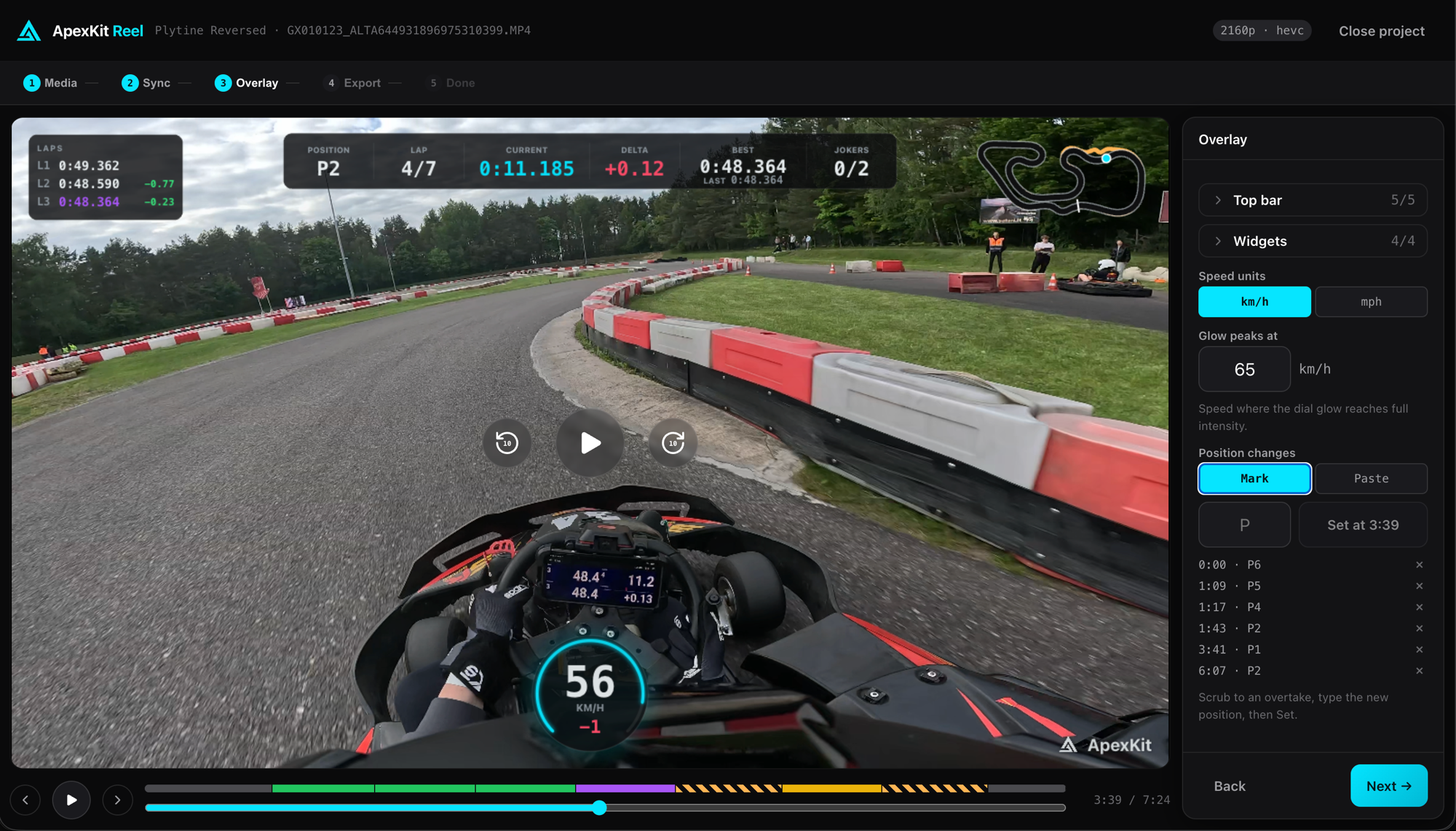
Broadcast-quality overlays, in the browser
Everything renders on your device from your own footage and data. Nothing is uploaded.
Live Speed Readout
A clean km/h or mph readout that tracks every frame, with an optional digital dial that lights up at the limit.
Lap Timer & Delta
Current and last lap, splits, and a color-coded delta against your best lap — green when you're up, red when you're down.
Live Track Map
A mini circuit map drawn from your GPS trace, with a dot showing exactly where you are on the lap.
Position Changes
Mark overtakes and position changes on the timeline so the big moments read instantly on screen.
Broadcast Intro & Outro
Optional F1-style title cards and synthesized sound design top and tail the clip with a professional finish.
Stays On Your Device
Video and telemetry are processed entirely in your browser. Nothing is uploaded — your footage never leaves your machine.
From footage to film in three steps
No account, no rendering farm. Just your browser.
Add your media
Drop in a lap video and a telemetry file — RaceChrono, GPX, FIT, VBO, CSV, or the GPS already embedded in GoPro footage.
Sync & configure
Line up the data with the video, then pick which widgets to show — speed, lap timer, track map, and more.
Export your reel
Render to MP4 with optional title cards and sound, then download or grab a ready-made YouTube title and description.